DmxControlPro3 3.2 — DMX and Show Control for Mac
Native DMX and show control for macOS
DmxControlPro3 3.2 puts lighting, media and cues in one visible show.
Patch fixtures, build repeatable cues and run audio, video, images and lighting from the same Mac app. When you want assistance, version 3.2 also lets your own compatible external AI assistant connect through a local Agent API.
Everything needed for a compact production
Direct fader control and structured cue playback stay together, so a small team can prepare the show without turning every operator into a console specialist.
Combine DMX with audio, video, images, MIDI and OSC, add fades and automatically advance through the show.
Use up to 256 slider channels, presets, chases, tap tempo, multiple universes and supported DMX devices.
Name and colour channels, prepare dependable looks and hand a visible cue list to the next operator.
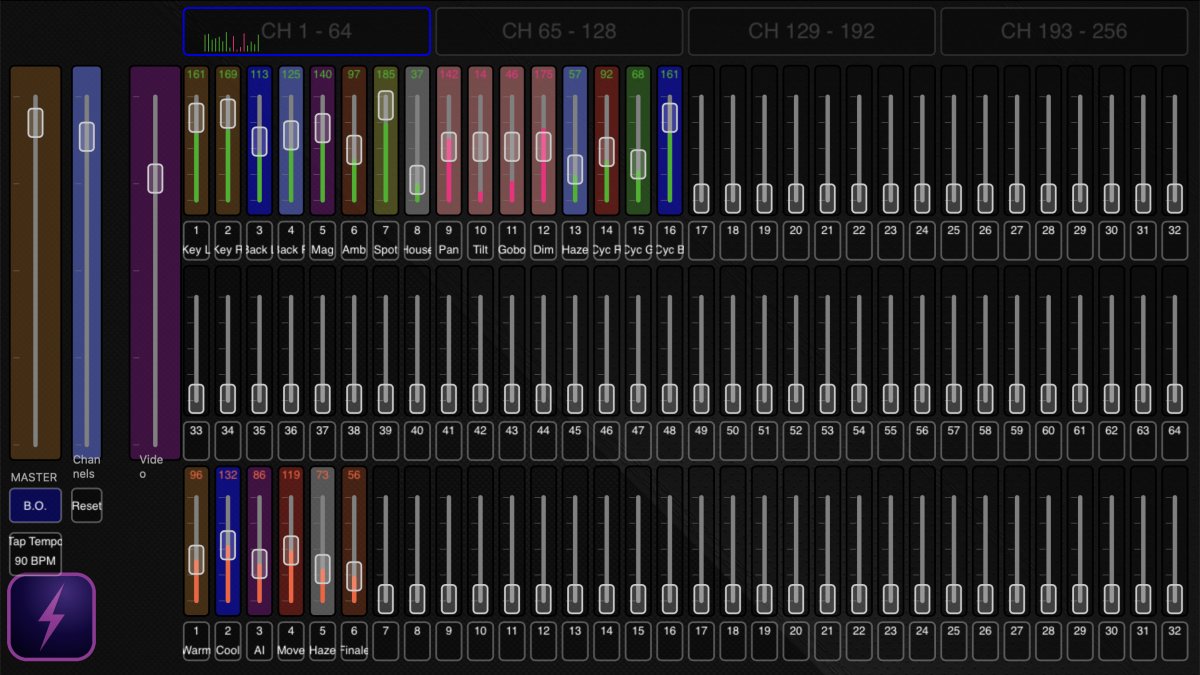
Show state you can actually see
Named, colour-coded controls, meaningful fader positions and visible cues keep the technician oriented. DmxControlPro3 remains the deterministic show engine, whether you operate it directly or let an external assistant request a supported action.
Use your favourite AI assistant through the Agent API
The 3.2 Agent API exposes the running app's capabilities and OpenAPI contract. A compatible external AI client can inspect current show state and use the methods advertised by that installed version. The AI is not built into DmxControlPro3, and the app does not send prompts or show data to JV Multimedia.
Let the assistant translate your fixture list and instructions into proposed patchbay mappings, channel names and colours, then apply the changes you approve.
Use an external assistant to turn your running order into proposed cues and presets, while DmxControlPro3 stores and plays the repeatable result.
An external assistant can analyse the images or video references you provide, propose matching backlight colours and write approved channel or cue values through the API.
For live operation, start by inspecting the show, agree one bounded action, run the existing cue or preset and read the result back. The operator still decides what goes live.
Local by default. Available across your own show network.
The Agent API stays on the show Mac by default. If another computer needs access, the operator explicitly enables LAN mode and creates an enabled API key. Non-loopback clients must present that key and be on the same active local subnet.
- Use the local HTTP connection only on a trusted production network.
- Do not expose the API port to the internet or public or guest Wi-Fi.
- Your chosen external AI client has its own setup and privacy terms.
Built around the connections a small show already uses
Use supported ENTTEC and DMXKing interfaces, multiple universes or Art-Net output and monitoring.
Layer media cues with lighting and choose the screen or video-window state needed for the production.
Connect hardware controllers, Bitfocus Companion workflows and the ArtnetDmxRemote iOS app.
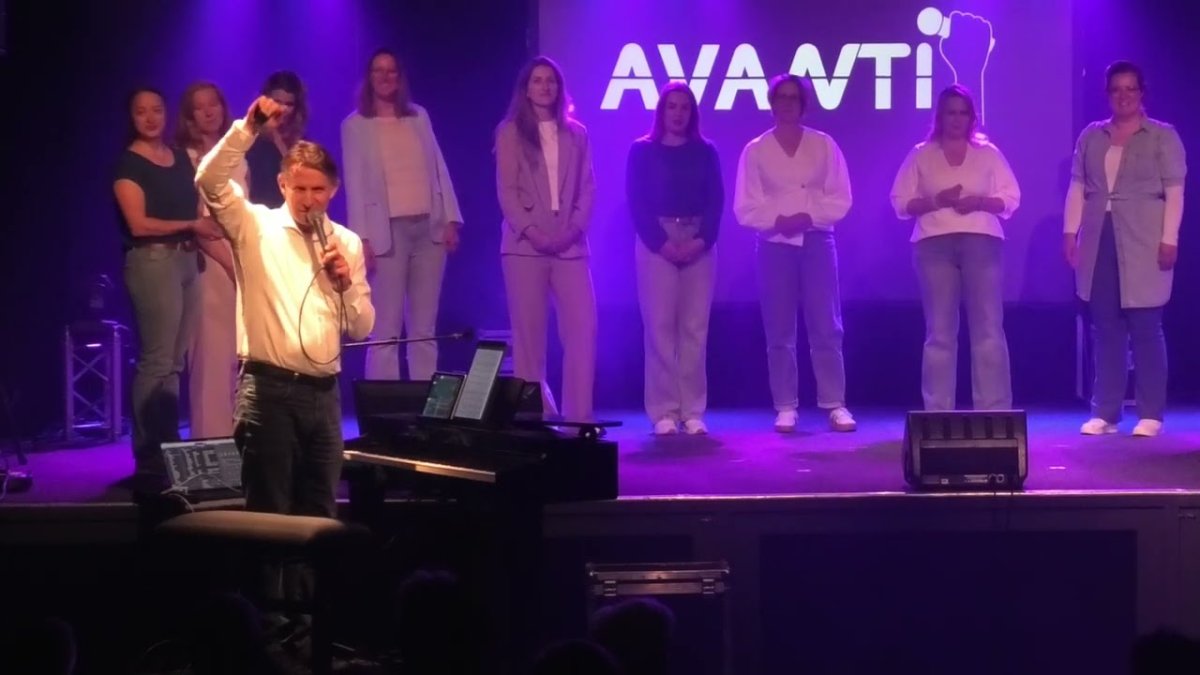
Made for the technician in the room
Schools, churches, community theatres, small venues and mobile productions often need one person to understand the whole show. DmxControlPro3 keeps that workflow approachable without hiding the technical state.
The Avanti Jubilee Show footage is real production context. It is not presented as proof that a particular Agent API request caused the pictured lighting state.
Bring the next show together on your Mac
Download DmxControlPro3 for free, try the workflow with your own project and unlock the full version with a one-time in-app purchase.